From last year, I have been listening about this InstaZen app by Aman Ojha. Yes, it is all over social media. Some people are saying that it is copy of another Instagram mod app named InstaGold. But, I deny that after its testing.
This app is an original modified app. If anyone wants an Instagram mod to customize UI elements and emojis to get a iOS-style experience on Android, then you must download the InstaZen v8.5 APK today.
The latest version has many improvements and the developer has fixed many bugs related to Liquid Glass navigation bar. Still, i will recommend you to know more about this app before downloading it.
What is InstaZen APK?
The InstaZen is a third-party Instagram modified app for every Android user who wants total customization controls of their Insta feeds, DMs and reels UI. This app lets us experience Instagram without any ads and that too with Liquid Glass UI that feels like iOS on our Android mobiles.
Unlike the official Insta app, this mod gives settings to change fonts, emojis and chat backgrounds. You can also download any picture, caraousel or reels directly to your phone’s gallary. There is ghost mode too. It is the father of all features. Yes, because, you can view messages, stories without leaving any read/seen receipts. No typing status of your will be seen by the person on the other side in the chat screen. But, you will see theirs as normally. That’s the power of this Insta mod app by Aman Ojha.
Download & Installation Process
InstaZen has 2 APK files. One is clone version and another is Unclone version. Here is the differece between the two packages.
- Clone Version: You don’t need to uninstall the official Instagram app to use this app. You can use both at the same time on one mobile.
- Unclone Version: To install this version, you have to uninstall official Instagram first. You can either use this app or official Insta. Can’t keep both on one mobile.
- Now, you know which APK of InstaZen (Instagram Zen) you need to download.
- After download, you have chosen the unclone version, then uninstall official Insta app first. Then, install it. But, if you have downloaded clone version. Then, install it directly.
- Open app, login and explore all advanced features of this iOS-style Insta mod app.
Key features of this app
- iOS-styled Liquid Glass navigation bar with width and blur customization settings.
- Ghost mode settings to hide typing status, read receipts, and story views (and active now too).
- 1-click download button for reels, stories, pics and carousels.
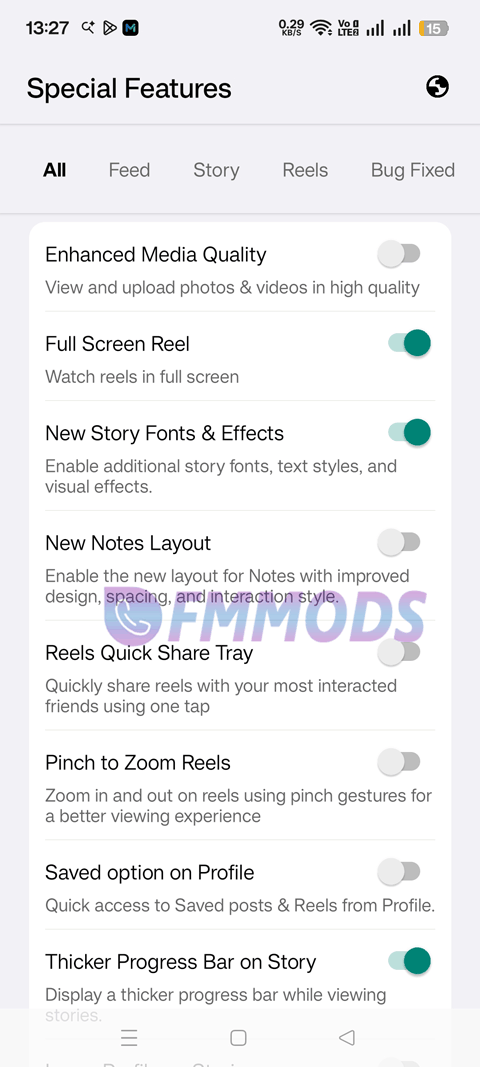
- iOS-style emojis and fonts.
- Option: To view deleted messages in DMs.
- Zero ads or sponsored posts.
- Advanced UI customization and disable features settings.
- Custom emoji pack and font selector: for chats and stories.
Why this is a true iOS Instagram mod for Android?
There are 4-5 popular Insta mod apps that people call them iOS Instagram mod app. Many of them lags when enable iOS-styled UI elements. Only two of them till now performs well. One is InstaGold and the second is this InstaZen app. That’s why, you can tell it a true iOS Instagram app for Android users.
We installed its latest version in our Galaxy S23 5G mobile running on Android 16. I personally loved its implementaion of the iOS Liquid Glass navigation bar and its smooth flow.
During heavy continous reels scrolling and downloading reeels, there was no lags. Never felt like I am using an unstable mod app. Only after enabling most of its customization features, there was slight stutter in the UI. But after we closed the app and restarted it, it felt smooth again. So, thumbs up to the developer.
After knowing about this app, you must have already downloaded the latest version 8.5 of InstaZen. As this is a third-party mod app, for the first few days, use it with a secondary account to see if accounts gets banned. Then, you can use on primary Instagram ID. And, for this app’s next version update, go nowhere else. We at FMMODS will upload it as soon the developer provides the updated APK files.